Wednesday, 19 February 2014

8 Tips for Acing Virtual Job Interview


8. Get Your Technology in Order
Before the meeting, conduct the necessary checks to ensure that all the technology namely: camera and microphone are functioning effectively. Ensure there is internet connectivity and the ability to conduct the meeting without any hitches. Any technology related interruptions can possibly send the wrong impression and cast doubts on your interest in their job. Act professional at all times.
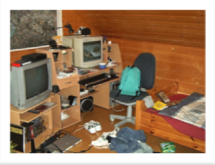


7. Prepare Your Environment
If possible, position your computer and webcam so there's a blank wall in back of you. Otherwise, organize your environment so that it appears to be a professional setting. Ensure your environment is quiet and you are free from any possible disturbances / interruptions.


  6. Dress for Success
  The same way you would dress for an in person interview, dress just    the same for the virtual interview. Refrain from wearing excessive jewellery and distracting colors.

You want the interviewer to focus on you, not on your outfit


5. Position Yourself to Win

Avoid slouching and maintain the illusion of eye contact by looking directly in the camera. Because you won’t have the benefit of a face-to-face connection, body language becomes more obvious and important to mange in a virtual view.

   4. Go for a Practice Run
Conduct a mock interview with someone who will give you their honest opinion, using the technology that will be used in the real interview. Ensure that you can be clearly seen and heard, so adjustments can be made if possible before the actual interview.
Get feedback on how you appear on the camera, whether you come off as professional, prepared, enthusiastic and interested.



3. Show and Tell
Conduct research on the company and the job you are applying for so that you can share with the interviewers exactly how your skills and qualifications make you the right fit for the position. Your enthusiasm and interest should be conveyed using voice intonation and facial expression


2. Take Your Time, Get It Right
Practice how you would answer possible questions in an audible manner. Pay keen attention to your grammar and ensure your speech is fluent. This will highlight excellent verbal communication skills. If you are sharing a screen and/or asked to type during your virtual interview, make sure you type carefully and read your answers before hitting send. No grammatical errors or typos.


1. Be Yourself
Organizations want to get a quick sense of who you are, so they can determine if they will advance you to the next round. Instead of trying to be the person you think the interviewer is looking for, be yourself. Being true to yourself is the best way to highlight what you can offer, and will make it easier for the organization to determine if you’re a good fit. 


Monday, 4 November 2013

Grammar lessons all job seekers should know


When applying for a job, there are few faster ways to get your résumé and cover letter thrown out of contention than by making a glaring grammatical error.

"In an era of spell check, easily edited documents and instantly shared 'can you give this a look' emails, typos and grammatical errors on résumés and/or cover letters are pretty much unforgivable," says Sean Smith, president of Third Street, an Indianapolis-based marketing company. "The message sent by typing 'too' when it should be 'to' can literally be the difference between getting the nod or getting a no."


Checklist for your résumé and cover letter. 

1. Know your homophones
Homophones are words that sound the same but have different meanings, like too, to and two. Using the correct version on your résumé is crucial.

"The misuse of your/you're, there/their/they're, and to/too/two occurs more times than I care to dwell on," says Marisa Brayman, a Web developer and blogger for Stadri Emblems, a company that designs embroidered patches. "If someone uses one of these incorrectly on a cover letter, he can say goodbye to his chances of ever landing a decent job. If this is due to a simple typo, that is one thing; however, in my humble opinion, if the individual doesn't know the difference between these basic words and has never bothered to take an hour out of his or her life to learn it, he or she is not deserving of landing a decent job."


A quick refresher:

Their, they're, there
Their: The possessive form of "they."  ("Applicants submitted their error-free cover letters.")
They're: The contraction of "they are." ("I think they're getting the hang of this grammar thing.")
There: A location. ("The pile of cover letters is over there.")

Two, too, to
Two: A number. ("There are two applicants in the lobby.")
Too: Also. ("I'd like to be interviewed for the job, too.")
To: A preposition or infinitive. ("I'm going to apply.")

Your, you're
Your: The possessive form of "you." ("Don't forget to proofread your résumé.)
You're: The contraction of "you are." ("I have a feeling you're going to get this job.")

It's, its
The best-selling grammar bible, "Eats, Shoots, and Leaves" by Lynne Truss, best describes the difference between these two words:

"To those who care about punctuation, a sentence such as 'Thank God its Friday' (without the apostrophe) rouses feelings not only of despair but of violence. The confusion of the possessive 'its' (no apostrophe) with the contractive 'it's' (with apostrophe) is an unequivocal sign of illiteracy and sets off a simple Pavlovian 'kill' response in the average stickler.

The rule is: the word 'it's' (with apostrophe) stands for 'it is' or 'it has.' If the word does not stand for 'it is' or 'it has' then what you require is 'its.' This is extremely easy to grasp."


Some other common homophones you should know:

Whose and who's
Every day and everyday

2. Use apostrophes properly
Apostrophes are used for a few reasons:
  • They indicate the possessive: "In my last job, I managed the CEO's calendar."
  • They indicate the omission of letters in words (i.e., in contractions).
  • They indicate the exclusion of numbers in dates: "I graduated college in '05."
  • They indicate time or quantity: "I must give my current employers two weeks' notice."

Be sure to check your résumé for proper use of apostrophes, as well as for any erroneous punctuation. Apostrophes do not, for example, indicate the plural form of a singular noun. It is incorrect to say "I developed orientation programs to help new employee's get acclimated to the company."


3. Keep tenses consistent
"Building lists correctly is important," says Christina Zila, director of communications at Textbroker.com, a Las Vegas-based content-creation firm. "Use consistent verb tenses: If you start your job duties with 'managing multiple employees,' don't have your next point as 'prepared annual reports' but 'preparing annual reports.'"
Similarly, as a general rule, all activities or accomplishments that you completed in the past should be in the past tense. Activities that you perform now should be in the present tense. This should be kept consistent throughout your résumé.

4. Proofread and then proofread again
The bottom line is that proofreading your application materials before submitting them is a must.
"There are enough people with bad grammar pet peeves that there is virtually no position out there where grammar doesn't matter," says Debra Yergen, author of the "Creating Job Security Resource Guide." "Since a basic search-engine inquiry for 'grammar pet peeves' nets more than 400,000 returns, it's safe to say that hiring managers are paying close attention to grammar and other résumé and cover-letter errors. Read and reread everything you write for a job application, and if you doubt yourself even slightly, run your submission past someone you trust."

Wednesday, 18 September 2013

Your Digital Footprint Speaks - (Future) Employee Be/Aware! (Part 1)

Article adopted from: http://www.digitalfamilysummit.com/2012/safety-protecting-your-digital-footprint/

Just like in real life, every step we take online provides insight into our person.  And don’t be fooled, even though you can’t see it, people are watching.  That’s why it’s so important to protect that digital footprint, to somewhat wrap your reputation in virtual bubble-wrap.
There are a few steps you can take to make sure that you are giving off the right impression of yourself.

Social Smarts: 
Be mindful about what you are posting on your social network channels.  Too much information isn’t necessarily a good thing, especially because you don’t know who it’s reaching.

Longevity:
Remember, what goes online stays online.  Forever.  Just because you decided that, once you posted it, you don’t want it live anymore…it’s still out there.  It’s embedded in the social network DNA.  Hitting delete doesn’t ever change that.  So think first.

Privacy IS the BEST Policy:
Only allow those people who you know IN REAL LIFE to have access to your personal information.  And even then, be wary because the more people know about you, especially in the written word, the more ammunition they have to use against you.  The best practice for protection management is to keep private things private.

Stay Clean:
Posting provocative or inappropriate pictures or posts online can be to your detriment in many ways both in your personal and professional life.

Think first, protect your digital footprint.  Those impressions last forever.